
Solar Powered Security Camera Information Hub | Section 3: Features & Technology Explained
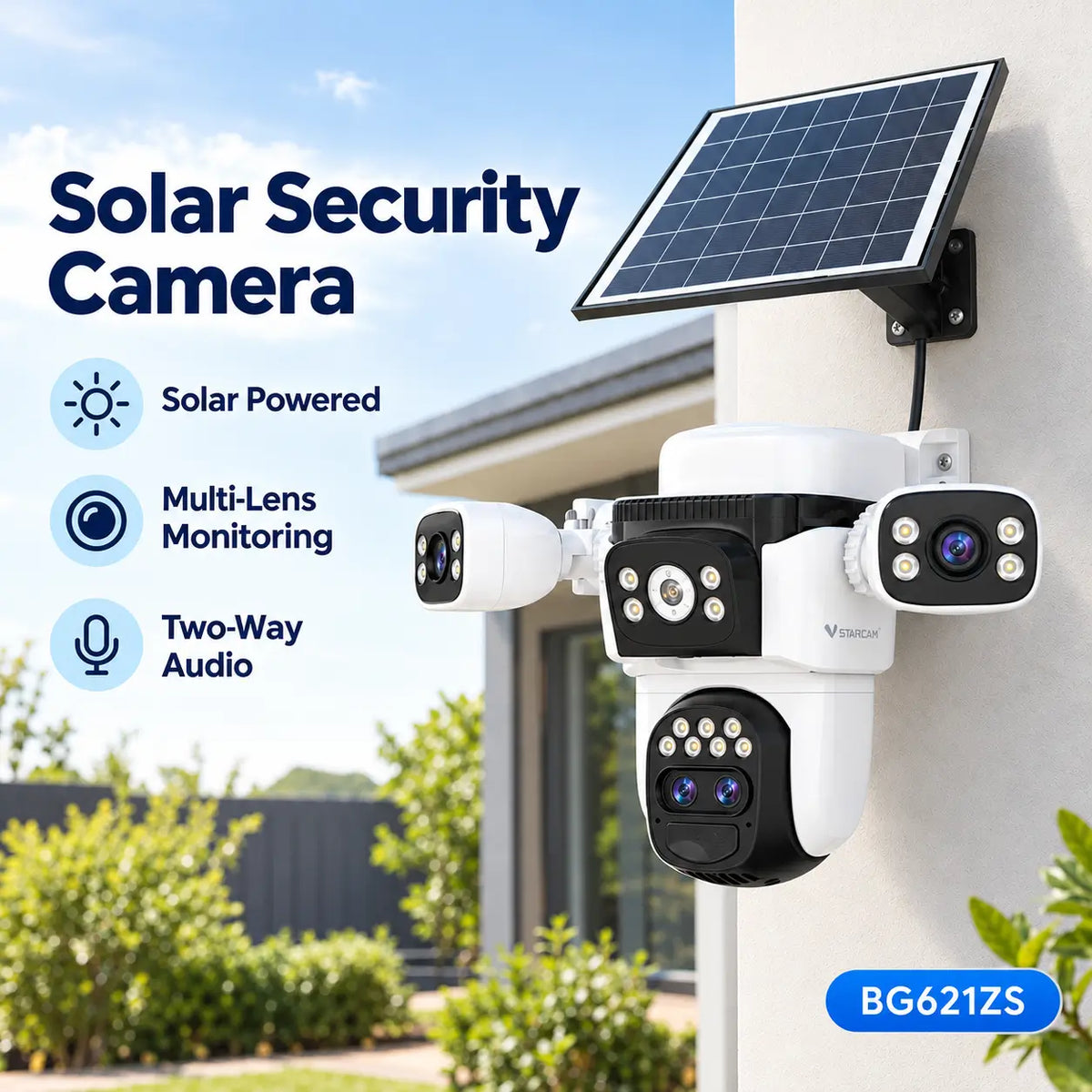
A solar powered security camera does more than capture images. Many modern models also allow users to hear sounds around the camera and communicate with people remotely.
This feature is commonly known as Two-Way Audio or Two-Way Communication.
For Australian homeowners, it can be useful when speaking to visitors at the front door, communicating with family members in the backyard or checking activity around a property while away from home.
However, not every camera offers the same audio capabilities. Microphone quality, speaker volume, internet connectivity and mobile application features can all affect the experience.
Understanding how two-way audio works can help buyers decide whether it is an important feature for their security needs.
1. What Is Two-Way Audio?
Two-way audio allows communication between a security camera and a connected smartphone or other supported device.
A compatible camera typically contains two components:
- Built-in Microphone: Captures sound around the camera.
- Built-in Speaker: Plays audio sent from the user's mobile device.
The camera transmits captured audio through its network connection to the mobile application.
When the user speaks through the app, their voice is transmitted back to the camera and played through its speaker.
This makes it possible to communicate with someone near the camera without being physically present.
For example, a homeowner at work may receive a notification that someone has approached the front entrance. After opening the camera's live view, they can speak to the visitor through the camera.
2. Two-Way Audio vs One-Way Audio
Not all security cameras support two-way communication.
Some cameras only provide audio monitoring, meaning users can hear sounds from the camera but cannot speak through it.
The differences are straightforward.
| Feature | One-Way Audio | Two-Way Audio |
|---|---|---|
| Hear sounds near the camera | Yes | Yes |
| Speak through the camera | No | Yes |
| Built-in microphone | Usually | Yes |
| Built-in speaker | Not necessarily | Yes |
| Remote conversation | No | Supported |
| Typical purpose | Audio monitoring | Monitoring and communication |
Buyers should check whether a camera advertises Two-Way Audio Communication, rather than assuming that a built-in microphone automatically means two-way communication is supported.
3. How Does Two-Way Audio Work Through a Smartphone?
Two-way audio normally operates through the camera manufacturer's mobile application.
The process is relatively simple.
Step 1 – Open the Camera App
The user opens the compatible application on their smartphone.
Step 2 – Select the Camera
The user chooses the connected security camera and opens its live view.
Step 3 – Activate the Microphone Function
Depending on the application, the user may press and hold a microphone button or activate a talk function.
Step 4 – Speak Through the Smartphone
The smartphone transmits the user's voice to the camera.
Step 5 – Listen to the Response
The camera's microphone captures nearby sound and sends it back to the smartphone.
Some systems support simultaneous speaking and listening, while others use a push-to-talk arrangement.
The exact operation depends on the camera and its software.
4. Does Two-Way Audio Require Wi-Fi or Internet?
Remote two-way audio generally requires an active data connection between the camera and the user's device.
For a Wi-Fi solar security camera, this normally means the camera must connect to a suitable Wi-Fi network with internet access.
For a 4G solar security camera, remote communication generally uses the mobile data connection associated with its SIM card.
Network quality can affect how quickly audio is transmitted.
If the connection is weak or unstable, users may experience:
- Delayed conversations
- Interrupted audio
- Distorted sound
- Temporary communication failures
A camera may still support certain local functions when internet access is unavailable, but remote two-way communication should not be assumed to work without a suitable connection.
5. What Affects Two-Way Audio Quality?
Two-way audio quality depends on several factors.
Microphone Quality
The microphone determines how effectively the camera captures nearby voices.
Its performance may be affected by distance, background noise and the camera's physical design.
Speaker Volume
A speaker must be loud enough for someone near the camera to hear the user's voice.
A compact camera may have a smaller speaker than a larger outdoor model.
However, physical size alone does not establish audio quality.
Wind and Outdoor Noise
Australian outdoor environments may include traffic, wind, rain and other background sounds.
These can make conversations more difficult.
Some cameras include noise-reduction processing, but effectiveness varies.
Internet Connection
A stable connection helps reduce delays and interruptions.
Audio performance may be less reliable where Wi-Fi coverage or mobile reception is poor.
Camera Position
A camera mounted very high above a driveway may provide a useful viewing angle but place its microphone and speaker farther from visitors.
Camera positioning should balance video coverage and communication needs.
6. Practical Uses for Australian Homes
Front Door Communication
Two-way audio can allow homeowners to speak to visitors without opening the door.
This may be useful when someone arrives unexpectedly or when the homeowner is away.
Parcel Deliveries
A homeowner may use two-way audio to communicate with a delivery driver.
For example, they may ask the driver to follow an appropriate delivery instruction.
However, delivery arrangements should still comply with the courier's procedures and the homeowner's security preferences.
Driveways and Garages
For homes with long driveways, two-way audio may help users communicate with someone near an entrance or garage.
The usefulness of this feature depends on whether the person can clearly hear the camera's speaker.
Backyards and Outdoor Areas
Two-way audio can provide a convenient way to communicate with family members in outdoor spaces.
It should not be treated as a substitute for direct supervision where safety is important.
7. Two-Way Audio for Farms and Construction Sites
Two-way audio may also be useful beyond ordinary residential properties.
Rural Properties
On farms or larger properties, owners may use compatible cameras to communicate with someone near a gate, shed or equipment area.
However, remote communication depends on the availability of a reliable network connection.
Small Construction Sites
Builders may use cameras to monitor temporary building sites and communicate with authorised visitors or workers.
For example, a builder checking a site remotely may be able to speak through the camera if someone approaches a monitored area.
Audio quality, surrounding machinery and network reliability can affect whether this is practical.
8. Does Two-Way Audio Affect Battery Life?
Two-way audio uses the camera's microphone, speaker, processor and wireless communication system.
These components require electricity.
Occasional short conversations may have a relatively small impact on battery consumption, depending on the camera.
Frequent or extended audio sessions may increase power use.
For solar powered security cameras, users should consider how often they expect to access live view and two-way communication.
A camera designed primarily for motion-triggered monitoring may consume more energy when used regularly for extended live conversations.
9. Privacy and Audio Recording Considerations
Two-way communication and audio recording are not necessarily the same feature.
A camera may allow live conversations without automatically saving every conversation.
Other models may support audio recording as part of their video footage.
Users should check the camera's recording settings and the manufacturer's documentation.
In Australia, laws concerning surveillance and audio recording can vary between states and territories.
Recording private conversations may raise additional legal considerations compared with ordinary video monitoring.
Homeowners and businesses should understand the applicable rules before enabling audio recording.
Two-way audio should be used responsibly and with consideration for other people's privacy.
10. Common Questions About Two-Way Audio
Can I Speak Through My Camera While Away from Home?
Yes, if the camera supports remote two-way audio and both devices have suitable network connectivity.
Does Two-Way Audio Work at Night?
Generally, yes. Audio communication is separate from the camera's night vision system, although the camera must have sufficient power and connectivity.
Can Two People Speak at the Same Time?
Some cameras support simultaneous communication, while others use push-to-talk operation.
Can Two-Way Audio Replace a Doorbell?
It may provide similar communication functionality, but it does not necessarily include a doorbell button, chime or other dedicated video doorbell features.
Do All Solar Security Cameras Have Two-Way Audio?
No. Buyers should confirm that both a microphone and speaker are included and that the software supports communication.
Final Thoughts
Two-way audio adds an interactive communication feature to solar powered security cameras.
Instead of simply watching and listening, users can speak to visitors and other people near the camera through a compatible smartphone application.
For Australian homeowners, builders and rural property owners, this can provide additional convenience when monitoring entrances, driveways and outdoor areas.
However, audio quality depends on the camera's microphone, speaker, placement and network connection.
When choosing a solar security camera, buyers should check the manufacturer's specifications and consider how often remote communication will be used.
Reliable two-way audio is most useful when clear sound, convenient app controls and dependable connectivity work together.
About SolarEasy
SolarEasy is an Australian-owned online retailer specialising in solar powered products for homes, gardens and outdoor applications.
Our Solar Powered Security Camera Information Hub helps Australian homeowners, builders and rural property owners understand solar security technology and make informed purchasing decisions.
Explore our solar powered products at SolarEasy.